


System integrators and data center deployment teams rarely fail because they lack a server specification. They lose time—and budget—when the critical phase of in‑cabinet copper cabling treated as an unmanaged, field‑improvised task. An improperly designed cable pathway leads to blocked airflow, overheated switches. And a chaotic knot of patch cords that turns a simple server replacement into an hour‑long trace‑and‑detangle operation. For a hyperscale or colocation facility, these inefficiencies multiply across hundreds of cabinets. Which creating significant operational risk.
TPS Elektronik’s cabinet cable management service provides a structured, engineered solution for copper cabling within data center server and network racks. By integrating pre‑terminated trunk cables, horizontal and vertical cable managers, patch panels, and comprehensive labeling and documentation, TPS transforms the interior of a rack from a source of potential failure into a model of efficiency and reliability.
1. Why structured cabinet cabling is essential for data center performance
The inside of a data center cabinet is a microcosm of the broader facility’s infrastructure. It houses servers, switches, power distribution units, and the copper and fiber cabling that connects them. When this cabling installed without a structured plan. Which using whatever patch cords are available, running cables loosely across equipment rails—the consequences are severe. Airflow blocked, causing equipment to run hotter and reducing its lifespan. Troubleshooting becomes a nightmare, as tracing a single cable through a tangled bundle of identical‑looking patch cords can take ten times longer than it should. Adding or removing a server risks inadvertently disconnecting adjacent equipment.
A structured cabling rack cabinet approach solves these problems at the design stage. Before a single cable installed, every connection mapped: which server port connects to which switch port via which patch panel port. Cable pathways are defined, and the correct lengths calculated so that cables follow clean, direct routes without excess slack. The result is a cabinet that is easy to maintain, thermally efficient, and fully documented. TPS’s approach to this grounded in its extensive experience with EMS cable assembly, tested and documented.
2. TPS structured cabling components: trunks, patch panels, and cable managers
TPS’s cabinet cable management service built around three core physical components that work together to create a clean, organized, and maintainable rack interior. Each component customized to the specific rack dimensions and port configuration of the project.
2.1 Pre‑terminated copper trunk assemblies
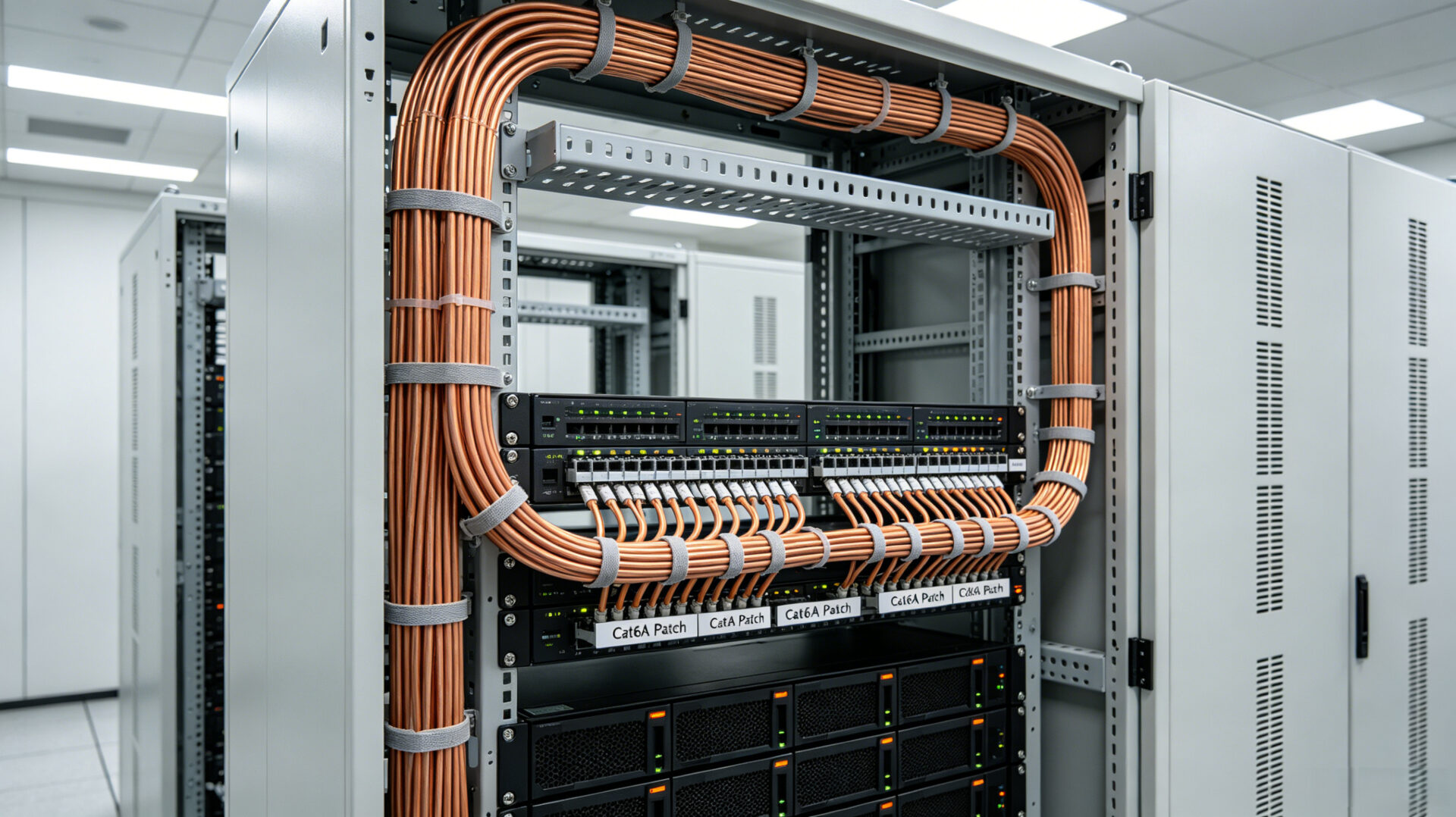
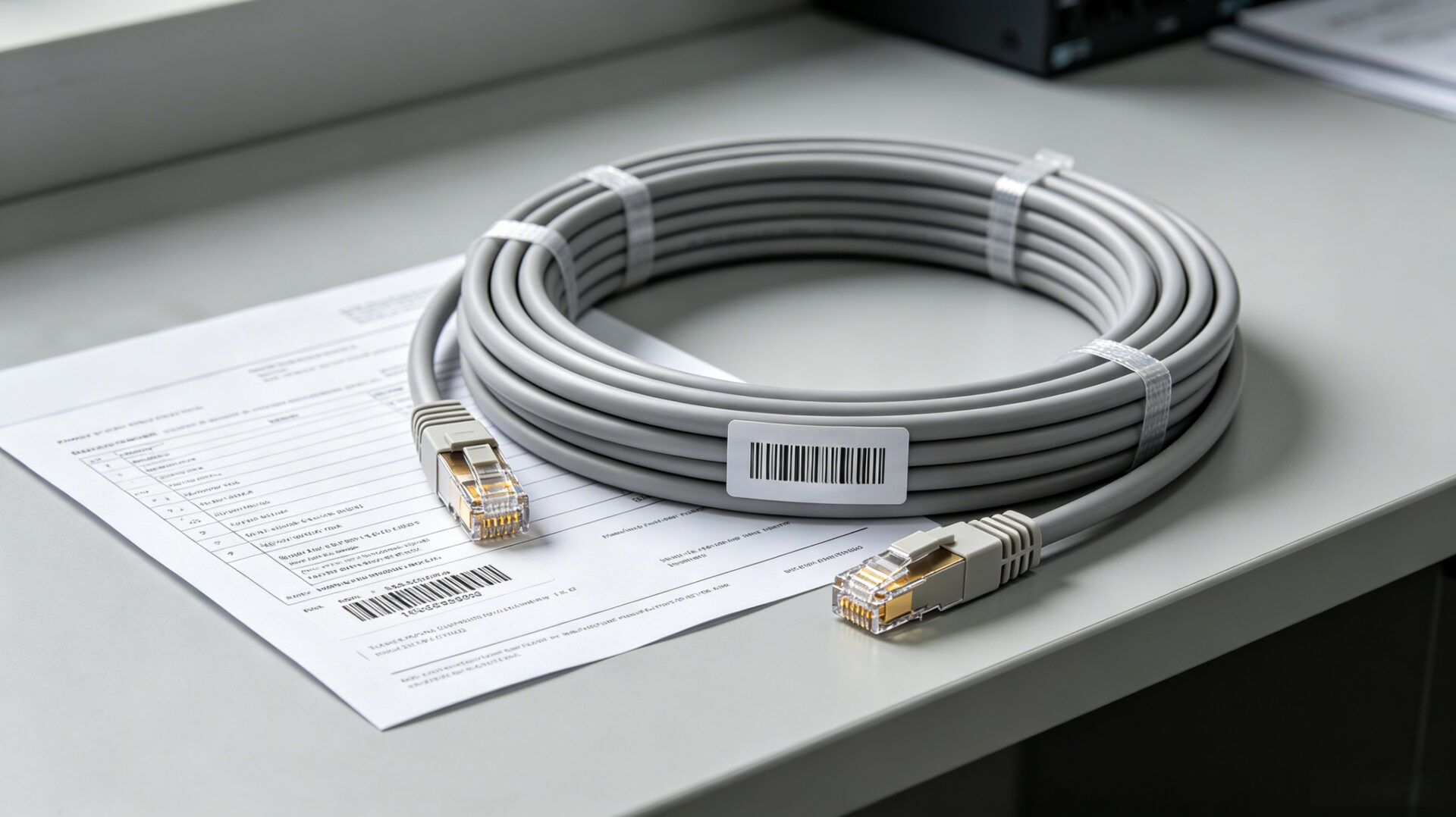
The foundation of an efficient cabinet cabling system is the trunk cable. Rather than running dozens of individual patch cords from a switch to a patch panel, TPS manufactures a single, multi‑pair Cat6A copper trunk cable terminated with RJ45 connectors at both ends. These trunks built to the exact length required for the specific cabinet model, eliminating slack and reducing congestion. Each trunk 100 % factory‑tested, with a detailed test report. Which including wiremap, NEXT, and return loss data—provided with each assembly. This eliminates the need for on‑site certification testing after installation, saving significant commissioning time. For additional technical context on copper cabling assembly, see our guide on BNC connector types and the associated precision required for data transmission.
2.2 Patch panel integration and port mapping
The patch panel is the central distribution point within the cabinet. TPS integrates industry‑standard 24‑port or 48‑port Cat6A patch panels into the rack layout, positioned for optimal cable flow. Each port on the patch panel mapped to a specific server port and switch port, and this mapping documented in both a physical label and a digital cable schedule. This eliminates the guesswork that plagues ad‑hoc installations, where a technician trying to trace a faulty connection must fish through a bundle of unlabeled cables behind the panel. The patch panel is grounded to the rack frame, maintaining a continuous ground path for shielded cabling systems.
2.3 Cable managers and routing discipline
Cable managers are the unsung heroes of a well‑organized rack. TPS installs horizontal cable managers between patch panels and switches to guide patch cords laterally, and vertical cable managers along the side rails of the rack to direct trunk cables from the patch panel area to the servers below. All cables are dressed with Velcro wraps, never zip ties, to allow for easy additions and changes without cutting. The routing discipline follows a simple rule: power cables on one side of the rack, data cables on the other, and never crossing unnecessarily. This segregation minimizes electromagnetic interference and keeps airflow paths clear.
3. Documentation and labeling
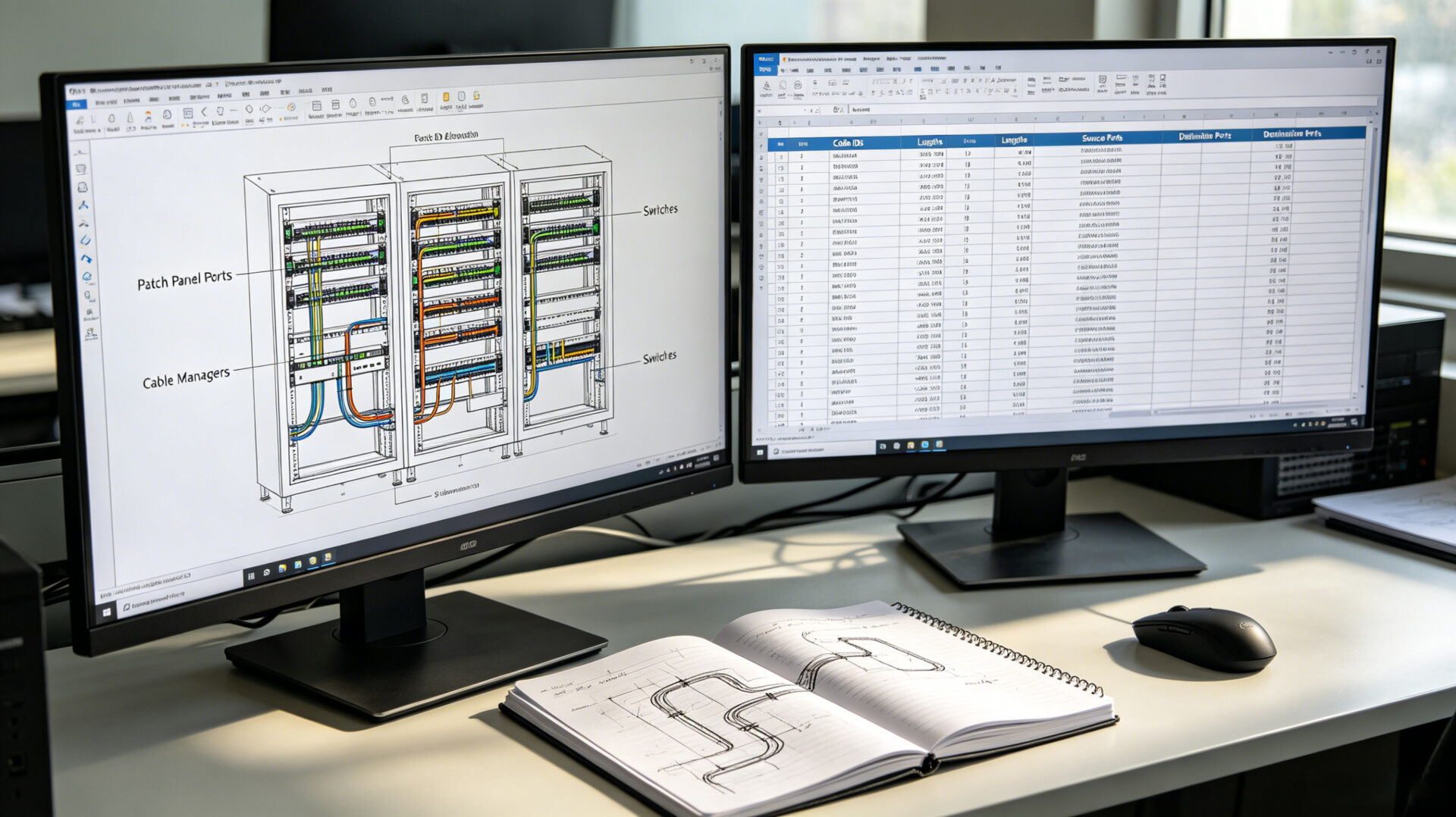
Structured cabling is only as good as its documentation. TPS provides a complete documentation package with every cabinet cable management project. This includes a rack elevation diagram showing the position of every patch panel, switch, and cable manager; a cable schedule listing every cable ID, its source and destination ports, and its length; and factory test reports for every trunk assembly. Physical labels are applied to both ends of every cable, using machine‑printed, durable wraps that remain legible for the life of the installation. This documentation supports troubleshooting, future capacity planning, and regulatory audits. For a broader discussion on the importance of documentation in cable assembly, refer to our guide on EMS cable assembly tested and documented.

4. Airflow management and thermal considerations
In a high‑density server rack, thermal management is a primary design constraint. A bundle of unmanaged cables directly in front of a server exhaust can raise the internal temperature of the server by several degrees, shortening component life and increasing energy consumption. TPS’s cabinet cable management service is designed to maintain clear airflow paths by routing cables along the sides and rear of the rack, using blanking panels to prevent recirculation, and ensuring that cables do not obstruct air intake or exhaust vents. This approach is consistent with ASHRAE TC 9.9 guidelines for data center cooling and helps the facility maintain its power usage effectiveness (PUE) target.
5. Application scenarios: top‑of‑rack, end‑of‑row, and edge deployments
- Top‑of‑rack (ToR) switching: In a ToR architecture, TPS provides short, pre‑terminated copper trunks that connect the top‑of‑rack switch directly to the patch panel, with organized vertical cabling to servers below.
- End‑of‑row (EoR) cabling: For EoR deployments, TPS designs and manufactures longer trunk cables that connect from the end‑of‑row patch panel to multiple cabinets, with structured dressing through overhead or under‑floor pathways.
- Edge and micro‑data center deployments: For compact, pre‑configured edge cabinets, TPS can deliver a fully cabled cabinet as a single, factory‑tested unit, ready for immediate deployment upon delivery.
6. RFQ checklist for cabinet cable management
- Rack specifications: Cabinet model, dimensions (height in U, width, depth), and internal layout.
- Equipment list: Number of servers, switches, and patch panels per cabinet, with port counts.
- Copper cabling type: Cat6, Cat6A, or other; shielded or unshielded.
- Port mapping: A port assignment schedule, or TPS can assist in creating one based on the equipment topology.
- Trunk cable preference: Pre‑terminated trunks or field‑terminated, with specific lengths if known.
- Labeling scheme: Customer‑specific naming convention for cable IDs.
- Quantities and schedule: Number of cabinets and target deployment date.
- Documentation: Required test reports and as‑built documentation.
7. FAQ
What is the difference between a trunk cable and a patch cord?
A trunk cable is a multi‑pair cable assembly that connects a switch to a patch panel in a single, high‑density bundle, eliminating individual patch cords. It reduces congestion and is custom‑made to the exact length.
Can TPS provide cable management for existing, live cabinets during a retrofit?
Yes. TPS can plan and execute a phased migration from unstructured to structured cabling, minimizing downtime during the transition.
What testing is performed on copper trunk assemblies?
Every trunk is 100 % factory‑tested, with a report including wiremap, NEXT, return loss, and insertion loss. This eliminates the need for on‑site certification testing.
Where can I learn more about TPS’s broader cable assembly capabilities?
Visit the TPS cable assembly service page, or explore our resources on EMS fiber optic cable assemblies.