DIN Rail Power Supply Installation & Wiring: A Practical Step-by-Step Guide for Reliable Power Distribution

22 Min Reading time
Written by
Kael Yuan
Published on
12. February 2026

Key Takeaways

  • Proper DIN rail mounting with correct spacing and orientation ensures optimal heat dissipation and compliance with safety standards for all power supplies
  • Correct wire sizing and termination techniques prevent voltage drop, overheating, and premature failure in 12v power supply and 24v power supply systems
  • Implementing comprehensive protection strategies including proper grounding, surge protection, and isolation maximizes the effectiveness of built-in overvoltage protection power and overtemperature protection power features
  • Strategic component placement considering heat management, EMI reduction, and maintenance access extends the lifespan of dc power supplies and ensures reliable operation
  • Systematic testing, documentation, and maintenance procedures validate installation quality and support long-term reliability of your power supply for 12 volt applications

When industrial control systems fail due to power irregularities or LED lighting power supply installations underperform because of voltage drop, the root cause often traces back to improper installation practices rather than product defects. This comprehensive guide transforms theoretical knowledge into actionable procedures for installing and wiring DIN rail mounted power supply supplies correctly the first time.

DIN Rail Power Supply installation represents a critical junction between product specifications and real-world performance. While manufacturers design units like CE power supply certified products with robust features including Auto recover protection and comprehensive safety mechanisms, their actual reliability depends entirely on correct installation. This guide provides the missing link between datasheet specifications and field-proven practices for ac to dc power supply installations across industrial, commercial, and infrastructure applications.

From selecting the appropriate 12 volt power supply dc unit for your application to implementing advanced wiring techniques that maximize the potential of convection cooled power supply designs, this manual covers every practical aspect. Whether you’re installing a simple power supply for 12v control circuit or designing a complex distributed 24 volt power supply network for industrial automation, you’ll find systematically organized, immediately applicable guidance that ensures optimal performance and longevity.

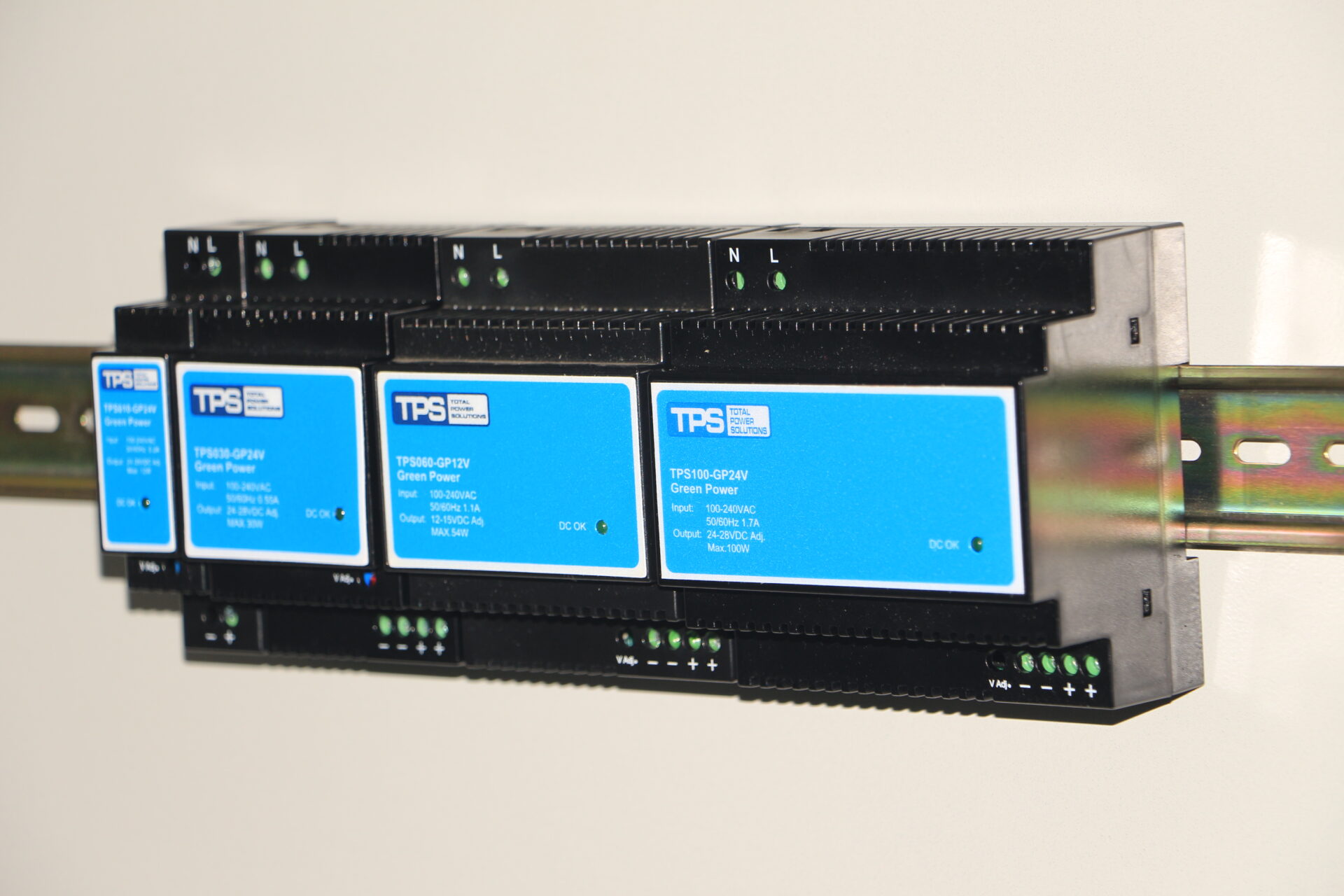
DIN rail power supplies (12V and 24V) are mounted on TS-35 rails.

Chapter 1: Pre-Installation Planning and Safety Protocols

1.1 Safety First: Essential Precautions Before Installation

Before handling any power supply and associated components, implementing comprehensive safety protocols prevents accidents and ensures regulatory compliance. Electrical installations involving dc power supplies require attention to both personal safety and equipment protection.

Begin by verifying complete power isolation using a certified voltage tester rated for your system’s maximum voltage. For installations involving 120-370VDC power supply units, this verification is particularly critical due to the hazardous voltage levels present. Implement a lockout-tagout (LOTO) procedure that physically prevents accidental re-energization during installation. Document all power sources, including secondary outputs from other power supplies in the system that might remain live.

Personal protective equipment (PPE) requirements vary based on application. For low-voltage 12v dc power supply installations in control cabinets, safety glasses and insulated tools typically suffice. However, when working with line-voltage inputs to ac to dc power supply units or high-current 24vdc power supply applications, additional protection including voltage-rated gloves, face shields, and flame-resistant clothing becomes necessary. Always reference local electrical codes and workplace safety regulations for specific requirements.

1.2 Selecting the Right DIN Rail Power Supply for Your Application

Choosing appropriate power supply supplies begins with analyzing your specific requirements rather than simply matching voltage and current ratings. Consider these critical selection factors:

Application Factor12v power supply Considerations24v power supply Considerations
Voltage Tolerance±5% typically acceptable for relays, solenoids±2% often required for analog sensors, controllers
Current RequirementsCalculate steady-state + inrush currents × 1.5 safety factorInclude simultaneous activation currents for multiple loads
Environmental ConditionsConvection cooled power supply needs adequate airflowDerate current by 20-30% above 50°C ambient
Protection RequirementsBasic overvoltage protection power sufficient for simple circuitsComprehensive protection needed for expensive connected equipment
Certification NeedsCE power supply certification mandatory for EU marketsAdditional certifications for specific industries/regions

For LED lighting power supply applications, additional considerations include dimming compatibility, constant current vs. constant voltage operation, and harmonic current requirements. Industrial control applications using power supply for 12 volt devices often benefit from units with wider input voltage ranges and robust transient protection. When specifying 5v power supply units for sensitive electronics, pay particular attention to output noise specifications and remote sensing capabilities.

The warranty period offers insight into manufacturer confidence. A 5 year warranty power supply typically indicates higher quality components and more conservative design margins compared to standard one-year warranties. For mission-critical applications, this extended warranty provides valuable risk reduction.

1.3 Tools and Materials: Preparing for Efficient Installation

Proper preparation with appropriate tools and materials significantly impacts installation quality and efficiency. Create a comprehensive installation kit before beginning work on any DIN Rail Power Supply installation.

Essential Tools Checklist:

  • DIN rail mounting tool or flat-blade screwdriver for DIN Rail TS 35/7.5 installation
  • Wire strippers with multiple gauge settings (including fine wire settings for control wiring)
  • High-quality crimping tools for ferrule installation on stranded wire
  • Torque screwdrivers or drivers with torque-limiting attachments (0.5-2.5 Nm range)
  • Insulation resistance tester (megohmmeter) for verifying isolation
  • Digital multimeter with true RMS measurement capability
  • Cable cutter capable of cleanly cutting the largest wire gauge in your installation
  • Labeling system (portable label printer or quality handwritten label system)
  • Cable management tools including cable ties, routing tools, and dressing sticks

Critical Materials Inventory:

  • Appropriate DIN Rail TS 35/7.5 or compatible rail sections with mounting hardware
  • Correct gauge wiring with temperature rating suitable for your environment
  • High-quality copper ferrules for all stranded wire terminations
  • Mounting accessories including end brackets, support clips, and separators
  • Heat-shrink tubing in various sizes for strain relief and insulation
  • Protective devices including appropriately rated fuses or circuit breakers
  • Bus bars for common connections if distributing multiple power supply and load connections
  • EMC shielding materials for sensitive installations

Chapter 2: DIN Rail Mounting Techniques and Best Practices

2.1 DIN Rail Selection and Preparation

The foundation of any reliable DIN Rail Power Supply installation begins with proper rail selection and mounting. While DIN Rail TS 35/7.5 represents the most common standard, understanding rail specifications ensures compatibility and reliability.

TS-35/7.5 rails feature 35mm width with 7.5mm mounting height, providing optimal balance between mounting stability and space efficiency. For heavier power supplies or high-vibration environments, consider TS-35/15 rails with 15mm mounting height for increased rigidity. Aluminum rails offer excellent corrosion resistance and heat dissipation, while galvanized steel provides maximum mechanical strength.

Rail preparation begins with cutting to required length using a fine-tooth hacksaw or specialized DIN rail cutter. Always deburr cut ends thoroughly to prevent injury and ensure smooth component mounting. Mounting spacing follows specific guidelines: allow minimum 20mm clearance above and below the rail for ventilation, particularly important for convection cooled power supply units. When mounting multiple rails vertically, maintain at least 75mm spacing between rails to facilitate wiring and heat dissipation.

2.2 Power Supply Mounting Procedure

Mounting power supply supplies correctly ensures mechanical stability, optimal heat dissipation, and compliance with safety clearances. Follow this systematic procedure:

  • Position Planning: Determine optimal location considering input/output cable routing, maintenance access, and heat management. Place ac to dc power supply units away from heat-producing devices like motor drives or transformers. For multiple units, group similar dc power supplies together to simplify wiring.
  • Clearance Verification: Ensure minimum clearances per manufacturer specifications. Typical requirements include 50mm above/below for ventilation (critical for convection cooled power supply designs), 10mm minimum between adjacent devices, and 20mm from cabinet walls or other obstructions.
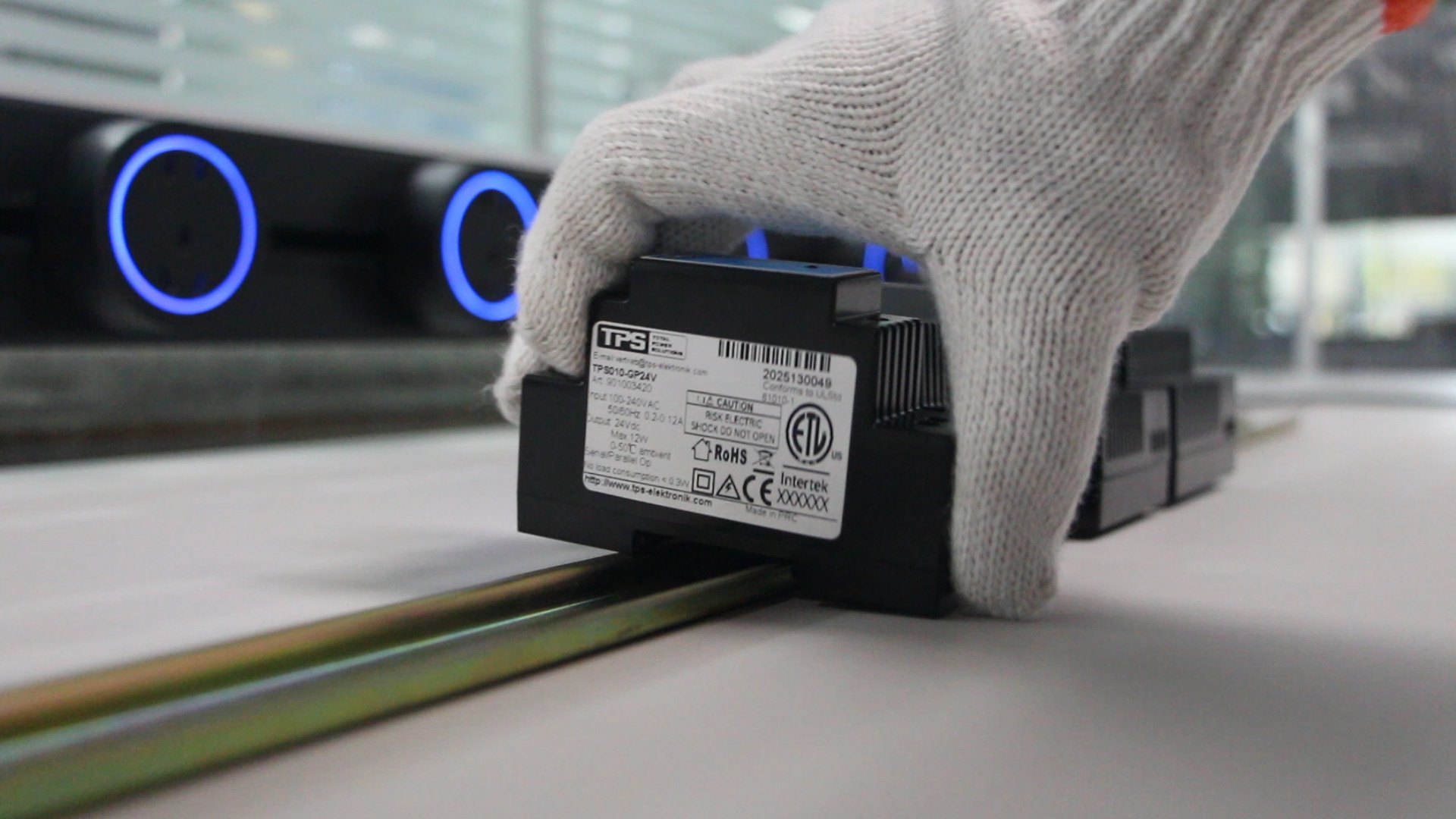
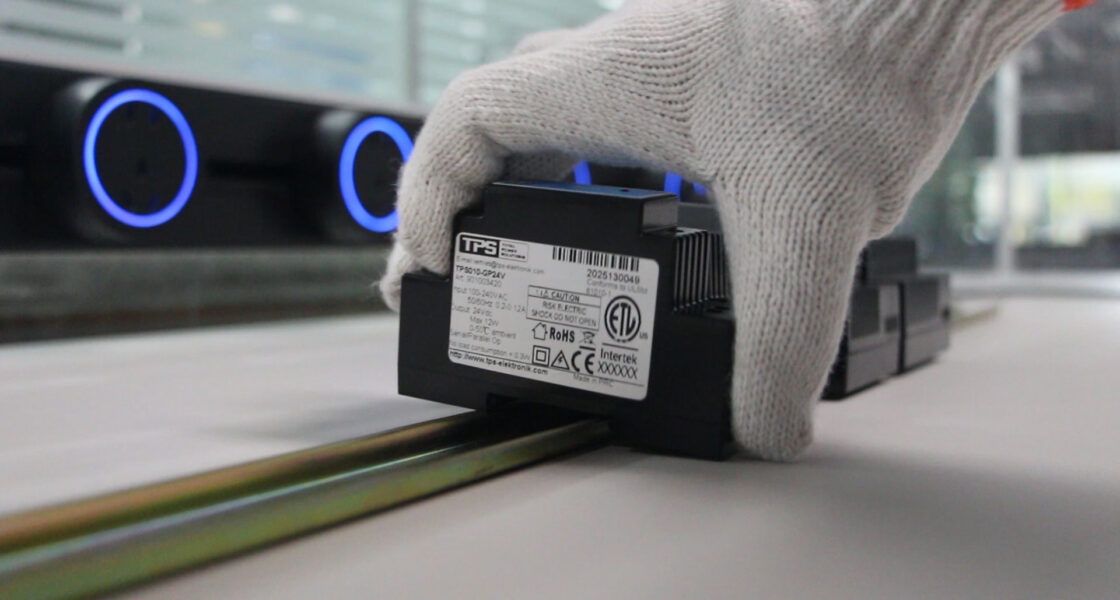
  • Initial Attachment: Hook the top lip of the DIN Rail Power Supply onto the rail first, then gently pivot the unit until the bottom locking mechanism engages with the rail. Avoid forcing or hammering which can damage both the power supply and rail.
  • Secure Locking: Engage the locking mechanism completely. On most tps power supplies and quality units, you should hear and feel a definite click when properly engaged. Test by attempting to gently lift the unit – it should not disengage from the rail.
  • Final Positioning: Slide the unit to its final position, ensuring adequate spacing from adjacent components. For applications involving 120-370VDC power supply units or other high-power devices, consider thermal imaging during planning to identify potential hot spots.

When mounting multiple power supply and related components, establish a logical arrangement that follows power flow: input protection devices first, followed by ac to dc power supply units, then output distribution components. This arrangement minimizes cross-wiring and simplifies troubleshooting.

Mount the DIN rail power supply on the rail.

2.3 Multi-Power Supply Installations and Thermal Management

Installations requiring multiple power supplies present unique challenges in spacing, heat management, and wiring organization. Implementing strategic practices ensures reliable operation of all units.

For mixed-voltage systems containing both 12 volt power supply dc and 24vdc power supply units, maintain clear physical separation and distinct color coding to prevent accidental cross-connection. Vertical spacing recommendations vary by power rating: for power supply supplies under 100W, 10mm vertical spacing typically suffices; for 100-240W units, increase to 15mm; for higher power units or convection cooled power supply designs in confined spaces, 25mm minimum spacing optimizes airflow.

Horizontal arrangements prove most effective for natural convection cooling. When forced air cooling is necessary, position power supplies to align with cabinet airflow patterns. Intake vents should draw cool air across power supply units before passing over other heat-producing components. For installations with both 5v power supply units for sensitive electronics and higher power units, position sensitive supplies upstream in the airflow to receive coolest air.

Thermal management extends beyond spacing. Consider these additional strategies:

  • Install temperature monitoring with alerts set 10°C below the overtemperature protection power cutoff point
  • Use thermally conductive mounting pads for DIN Rail Power Supply units in high-ambient environments
  • Implement temperature-controlled cabinet cooling for environments exceeding 40°C ambient
  • Monitor load distribution to prevent single power supply for 12v units from operating near maximum capacity continuously

Chapter 3: Comprehensive Wiring Practices for DIN Rail Power Supplies

3.1 Input Power Connection Procedures

Proper input wiring forms the foundation of reliable power supply supplies operation. Whether connecting a simple 12v dc power supply or complex 120-370VDC power supply system, adherence to methodical procedures prevents common failure modes.

Begin by verifying input voltage compatibility. For units labeled as universal input (typically 85-264VAC), this check remains crucial as some ac to dc power supply units feature selectable input ranges. Use a true-RMS multimeter to measure actual line voltage, noting any significant deviation from nominal that might affect performance or require derating.

Input Protection Strategy: Every DIN Rail Power Supply requires appropriate input protection. Implement a coordinated approach:

  • Primary protection: Install a properly rated circuit breaker or fuse within 0.5 meters of the power supply input terminals
  • Surge suppression: For units without integrated surge protection, add appropriate surge protective devices (SPDs)
  • Filtering: In electrically noisy environments, consider adding EMI filters before the power supply and after if sensitive equipment follows
  • Disconnect means: Ensure a readily accessible disconnect within sight of the installation for maintenance safety

Wiring Implementation: Use copper conductors exclusively, sized according to both current capacity and voltage drop considerations. For power supply for 12 volt units, voltage drop becomes particularly critical as even small reductions significantly impact performance. Follow this wire sizing methodology:

  • Calculate full-load current including safety margin (typically 125% of rated current)
  • Determine maximum acceptable voltage drop (3% maximum for branch circuits)
  • Select wire gauge that satisfies both ampacity and voltage drop requirements
  • Verify compatibility with terminal sizes on your specific power supplies

Termination quality directly impacts reliability. For stranded wire, always use appropriate ferrules sized precisely for both wire gauge and terminal dimensions. Apply manufacturer-specified torque values using a calibrated torque tool – typically 0.5-0.8 Nm for smaller 5v power supply units, 1.2-1.5 Nm for standard 12v power supply and 24v power supply units, and higher values for high-current terminals. After torquing, perform a gentle tug test to verify secure connection.

3.2 Output Circuit Design and Implementation

Output wiring demands equal attention to detail as input connections. Proper implementation ensures optimal voltage regulation, minimizes electromagnetic interference, and prevents ground loop issues.

Voltage Drop Management: For 12 volt power supply dc applications, output voltage drop severely impacts performance. Implement these strategies:

  • Use larger gauge wire than minimum requirements – one size larger typically reduces voltage drop by approximately 35%
  • Implement star distribution for critical loads rather than daisy-chaining multiple devices
  • Consider higher voltage distribution (24V instead of 12V) with local regulation for sensitive power supply for 12v loads
  • For long runs, calculate voltage drop using formula: Vdrop = 2 × L × I × R where L=length (feet), I=current (amps), R=resistance (ohms/ft)

Output Protection Implementation: While quality tps power supplies incorporate comprehensive protection, additional output protection enhances system reliability:

  • Install appropriately rated fuses on each output branch circuit
  • Consider electronic circuit breakers for loads with frequent inrush currents
  • Implement reverse polarity protection for circuits where incorrect connection is possible
  • Add transient voltage suppressors for outputs connecting to long cable runs or external equipment

Wiring Practices for Specific Applications:

  • LED lighting power supply installations: Use constant voltage mode for parallel LED arrays, constant current for series strings. Implement dimming compatibility checks for controlled installations.
  • Sensitive electronics powered by 5v power supply units: Implement star grounding, use twisted pair wiring for supply and return, consider separate regulation for analog and digital sections.
  • Industrial control with 24 volt power supply units: Separate analog sensor power from digital I/O power to prevent noise coupling. Use shielded cable for analog signals with shield grounded at one end only.
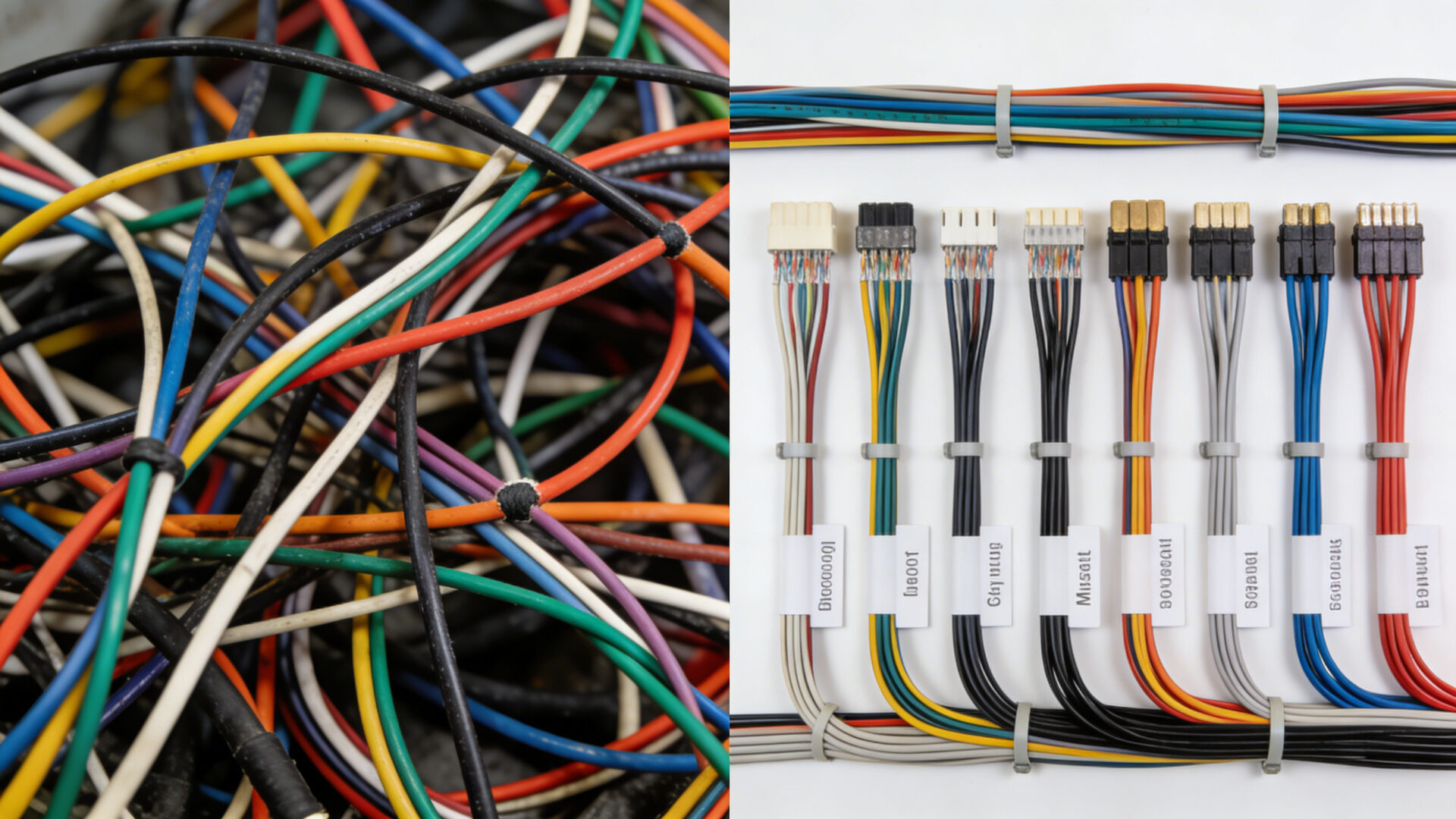
Left side shows messy, unlabeled wiring with improper spacing (bad example). Right side shows neat, labeled, bundled wiring with proper ferrules and adequate clearance (good example).

3.3 Grounding and Shielding Techniques

Proper grounding represents one of the most critical yet frequently misunderstood aspects of power supply supplies installation. Correct implementation prevents electrical hazards, reduces electromagnetic interference, and ensures proper operation of protection circuits.

Safety Grounding: Every DIN Rail Power Supply with metal chassis requires connection to protective earth (PE). Use green/yellow wire exclusively for this purpose, sized according to local electrical codes (typically equal to or larger than supply conductors). Ensure low-impedance connections by:

  • Using dedicated grounding terminals rather than relying on DIN rail contact
  • Maintaining metal-to-metal contact by removing paint or coatings at connection points
  • Implementing star grounding for multiple power supply and related equipment
  • Periodically testing ground continuity with a ground bond tester

Signal Grounding: Differentiate carefully between safety ground and signal reference ground. For analog circuits powered by dc power supplies, establish a clean signal reference separate from noisy digital or power grounds. Techniques include:

  • Using separate power supply for 12 volt units for analog and digital sections
  • Implementing single-point grounding for sensitive measurement circuits
  • Using isolation techniques when connecting grounds between different systems

EMI/RFI Shielding: Electromagnetic compatibility becomes increasingly important in dense installations. Implement these shielding practices:

  • Use shielded cables for sensitive signals with proper shield termination
  • Install ferrite beads on both input and output cables near the ac to dc power supply units
  • Maintain physical separation between power and signal wiring (minimum 100mm or cross at 90° angles)
  • Consider EMI gaskets on cabinet doors and shielded conduits for critical applications

Chapter 4: Protection Circuit Implementation and Testing

4.1 Leveraging Built-In Protection Features

Modern DIN Rail Power Supply units incorporate sophisticated protection mechanisms that require proper installation to function effectively. Understanding and complementing these features maximizes system reliability.

Overvoltage Protection Power (OVP) circuits automatically shut down the power supply when output voltage exceeds a safe threshold, typically 115-135% of nominal. To ensure proper OVP operation:

  • Verify OVP threshold matches connected equipment tolerance (especially important for 5v power supply units powering sensitive electronics)
  • Test OVP functionality during commissioning using a controlled load increase
  • Understand OVP response characteristics – some units latch off requiring manual reset, while others with Auto recover protection automatically restart after fault clearance

Overtemperature Protection Power mechanisms guard against thermal damage. For convection cooled power supply designs, ensure:

  • Adequate ventilation space as specified in manufacturer documentation
  • Regular cleaning of ventilation openings in dusty environments
  • Monitoring of ambient temperature with derating applied per manufacturer guidelines
  • Understanding of protection behavior – some units reduce output current before complete shutdown

Short Circuit Protection: All quality power supplies include current limiting or foldback protection. Verify:

  • Protection activates without damaging the power supply or connected equipment
  • Recovery behavior aligns with system requirements (automatic vs. manual)
  • Coordination with upstream protective devices to ensure selective tripping

For units featuring Auto recover protection, understand the recovery algorithm – typically involving a delay period followed by automatic restart attempt. This feature proves particularly valuable in remote or unattended installations but requires careful evaluation for applications where unexpected restart could create safety issues.

4.2 Supplemental Protection Strategies

While modern power supply supplies include comprehensive internal protection, supplemental external protection addresses installation-specific risks and enhances overall system reliability.

Input Transient Protection: Even with robust internal designs, additional transient voltage suppression proves beneficial, especially for ac to dc power supply units in areas with unreliable power quality. Implement a tiered approach:

  • Primary protection: Type 1 or 2 surge protective devices at service entrance
  • Secondary protection: Dedicated SPDs for sensitive equipment branches
  • Tertiary protection: Point-of-use suppressors for critical power supply for 12v circuits

Output Protection Customization: Tailor output protection to specific load characteristics:

  • For capacitive loads common in LED lighting power supply applications, add soft-start circuits to limit inrush current
  • For motor loads powered by 24vdc power supply units, implement electronic motor protection relays
  • For parallel redundant systems, include isolation diodes to prevent backfeeding
  • For sensitive measurement circuits using 5v power supply units, add linear post-regulators for noise reduction

Monitoring and Alerting Systems: Proactive monitoring identifies issues before they cause failures. Consider implementing:

  • Current monitoring with adjustable alarm thresholds
  • Temperature monitoring with trend analysis to detect deteriorating conditions
  • Voltage quality monitoring to identify developing power quality issues
  • Remote notification capabilities for unattended installations

4.3 Systematic Testing and Commissioning Procedures

Thorough testing validates installation quality and ensures all protection systems function as intended. Follow this structured commissioning approach for power supply supplies:

Pre-Energization Checks: Before applying power, verify:

  • Correct wiring using continuity testing with power isolated
  • Proper insulation resistance (typically >1MΩ at 500VDC for 24 volt power supply systems)
  • Adequate mechanical clearance and mounting security
  • Correct setting of any adjustable parameters (voltage, current limit)
  • Proper fuse/breaker ratings and installation

Initial Power-Up Sequence: Implement controlled energization:

  • Apply input power with output loads disconnected
  • Verify input voltage matches power supply and unit specifications
  • Check output voltage without load (should be within ±1% of nominal for quality dc power supplies)
  • Measure output ripple and noise (typically <1% of output voltage for standard units)
  • Verify proper operation of status indicators

Load Testing Protocol: Gradually apply load while monitoring performance:

  • Apply 25% rated load, monitor for 15 minutes while checking temperature rise
  • Increase to 50% load, verify voltage regulation (typically within ±0.5% for 12 volt power supply dc units)
  • Apply 75% load, check for abnormal audible noise or vibration
  • Apply 100% load for 30 minutes, monitor thermal performance
  • For units with 5 year warranty power supply expectations, consider extended burn-in testing at elevated temperature

Protection Function Verification: Methodically test each protection feature:

  • Overvoltage protection power test: Gradually increase output voltage (if adjustable) or simulate fault
  • Overcurrent test: Apply incremental load increase beyond rating while monitoring response
  • Short circuit test: Momentarily short output through appropriate current limiting device
  • Thermal test: Monitor response to reduced airflow or elevated ambient temperature
  • Auto recover protection verification: If equipped, verify automatic restart after fault clearance

Document all test results including measurements, observations, and any deviations from expected performance. This documentation proves invaluable for troubleshooting future issues and validates installation quality.

Chapter 5: Advanced Installation Scenarios and Troubleshooting

5.1 Special Application Installations

Certain applications demand specialized installation approaches beyond standard practices. Understanding these requirements ensures optimal performance of power supply supplies in challenging environments.

High-Vibration Environments: Industrial settings with significant vibration require enhanced mounting techniques for DIN Rail Power Supply units:

  • Use vibration-dampening rail mounts or anti-vibration clips
  • Implement additional mechanical securing beyond standard DIN rail clips
  • Use crimped connections with strain relief rather than screw terminals alone
  • Select power supplies specifically rated for high-vibration environments
  • Implement periodic inspection schedules for connection integrity

Parallel and Redundant Configurations: For applications requiring increased current capacity or reliability, parallel operation of multiple power supply and units requires specific techniques:

  • Use units specifically designed for parallel operation with current sharing capability
  • Implement load sharing controllers for non-inherently sharing units
  • Include isolation diodes to prevent backfeeding in redundant configurations
  • Ensure equal length output wiring to promote balanced current distribution
  • Monitor individual unit currents to identify failing units before complete failure

Medical and Safety-Critical Applications: Installations where failure could impact human safety demand enhanced practices:

  • Select power supplies with appropriate safety certifications (medical, UL/EN 60601)
  • Implement redundant power with automatic switchover
  • Use separated extra-low voltage (SELV) circuits where required
  • Implement enhanced isolation barriers and protective separation
  • Establish more frequent testing and maintenance schedules

5.2 Common Installation Problems and Solutions

Even with careful planning, installation issues can occur. This troubleshooting guide addresses common problems with power supply supplies installations:

SymptomPossible CausesDiagnostic StepsCorrective Actions
Power supply cycles on/off repeatedly1. Overload condition
2. Overtemperature protection power activation
3. Input voltage out of range
4. Faulty unit
1. Measure output current
2. Check ambient temperature and airflow
3. Verify input voltage stability
4. Test with reduced load
1. Reduce load or upgrade capacity
2. Improve cooling/ventilation
3. Stabilize input voltage or select wider range unit
4. Replace if defective
Output voltage lower than specified1. Excessive voltage drop
2. Input voltage low
3. Unit overloaded
4. Remote sense not connected
1. Measure voltage at power supply terminals
2. Check input voltage under load
3. Verify load current vs. rating
4. Check remote sense connections
1. Increase wire gauge or shorten runs
2. Address input voltage issue
3. Reduce load or parallel units
4. Connect remote sense properly
Excessive output noise or ripple1. Inadequate filtering
2. Ground loops
3. EMI from other equipment
4. Defective unit
1. Measure ripple with oscilloscope
2. Check grounding scheme
3. Identify noise sources
4. Test with different load
1. Add output filtering
2. Implement single-point grounding
3. Increase separation from noise sources
4. Replace if defective
Overvoltage protection power false triggering1. Load transients
2. Improper OVP setting
3. External voltage sources
4. Defective OVP circuit
1. Monitor output during load changes
2. Verify OVP threshold
3. Check for backfeeding sources
4. Test with resistive load
1. Add transient suppression
2. Adjust OVP if adjustable
3. Add isolation diodes
4. Replace unit if defective

5.3 Maintenance and Long-Term Reliability Practices

Proper maintenance extends service life and prevents unexpected failures of DIN Rail Power Supply installations. Implement these practices for long-term reliability:

Preventive Maintenance Schedule: Establish regular inspection intervals based on environment and criticality:

  • Monthly (critical installations): Visual inspection for overheating signs, connection tightness check, ventilation clearance verification
  • Quarterly (standard industrial): Input/output voltage measurement, load current verification, temperature measurement at multiple points
  • Semi-annually (all installations): Complete thermal scan if equipment available, protective device testing, cleaning of ventilation openings
  • Annually (comprehensive): Full electrical testing including ripple measurement, insulation resistance testing, protection function verification

Performance Trending: Implement data collection to identify deteriorating conditions before failure:

  • Record operating temperatures seasonally to identify cooling system degradation
  • Track output voltage under consistent load to identify regulation circuit aging
  • Monitor efficiency to detect component degradation
  • Document any protection activations with detailed circumstances

End-of-Life Planning: Even with excellent 5 year warranty power supply coverage and proper maintenance, eventual replacement becomes necessary. Develop proactive replacement strategies:

  • Monitor manufacturer lifecycle announcements for your specific tps power supplies models
  • Maintain spares for critical applications, implementing rotation to prevent capacitor aging
  • Document installation details to facilitate future replacement with potentially different models
  • Consider technology upgrades during replacement cycles (improved efficiency, additional features)

Conclusion: Professional Installation as a Reliability Multiplier

The difference between adequate and exceptional DIN Rail Power Supply installation ultimately determines system reliability, safety, and longevity. While quality products like CE power supply certified units with comprehensive protection features including overvoltage protection power and overtemperature protection power provide excellent foundations, their real-world performance depends entirely on installation quality.

This guide has systematically addressed every critical aspect of power supply supplies installation, from initial planning and safety protocols through advanced wiring techniques and long-term maintenance. Whether implementing a simple 12v power supply for control circuits or a complex distributed 24v power supply network, these practices transform theoretical knowledge into reliable performance.

Remember that proper installation extends beyond technical correctness to encompass documentation, testing, and maintenance planning. The few additional hours invested in meticulous DIN Rail TS 35/7.5 mounting, calculated wire sizing, and systematic testing yield returns measured in years of trouble-free operation. In an era where system reliability directly impacts productivity and safety, professional power supply and component installation represents not an expense but a strategic investment with measurable returns.

By implementing the practices outlined in this comprehensive guide, you ensure that your dc power supplies deliver their full potential throughout their service life, whether powering sensitive electronics with a 5v power supply or driving substantial loads with a robust 120-370VDC power supply unit. The result is power distribution systems characterized by reliability, safety, and maintainability – the hallmarks of professional electrical installation.

Appendix: Quick Reference Checklists

Pre-Installation Checklist

  • Verify power supply specifications match application requirements (voltage, current, certifications)
  • Confirm adequate ventilation space for convection cooled power supply designs
  • Gather all required tools and materials before beginning work
  • Review safety procedures and ensure proper PPE available
  • Document installation plan including component placement and wiring routes

Installation Verification Checklist

  • Confirm secure mounting on DIN Rail TS 35/7.5 with proper engagement
  • Verify correct wiring with appropriate torque on all connections
  • Check proper ferrules installed on all stranded wire terminations
  • Confirm adequate wire sizing for both current capacity and voltage drop
  • Validate proper grounding with dedicated safety ground connection
  • Ensure correct polarity on all input and output connections

Commissioning Checklist

  • Perform insulation resistance test before energization
  • Verify input voltage within specified range
  • Confirm output voltage without load within specifications
  • Gradually apply load while monitoring performance
  • est all protection features including overvoltage protection power and overtemperature protection power
  • Document all test results and measurements
  • Verify proper operation of status indicators and any communication functions

By methodically following these checklists and the detailed procedures in this guide, you ensure that every DIN Rail Power Supply installation achieves optimal reliability, safety, and performance – transforming quality components into dependable power systems.